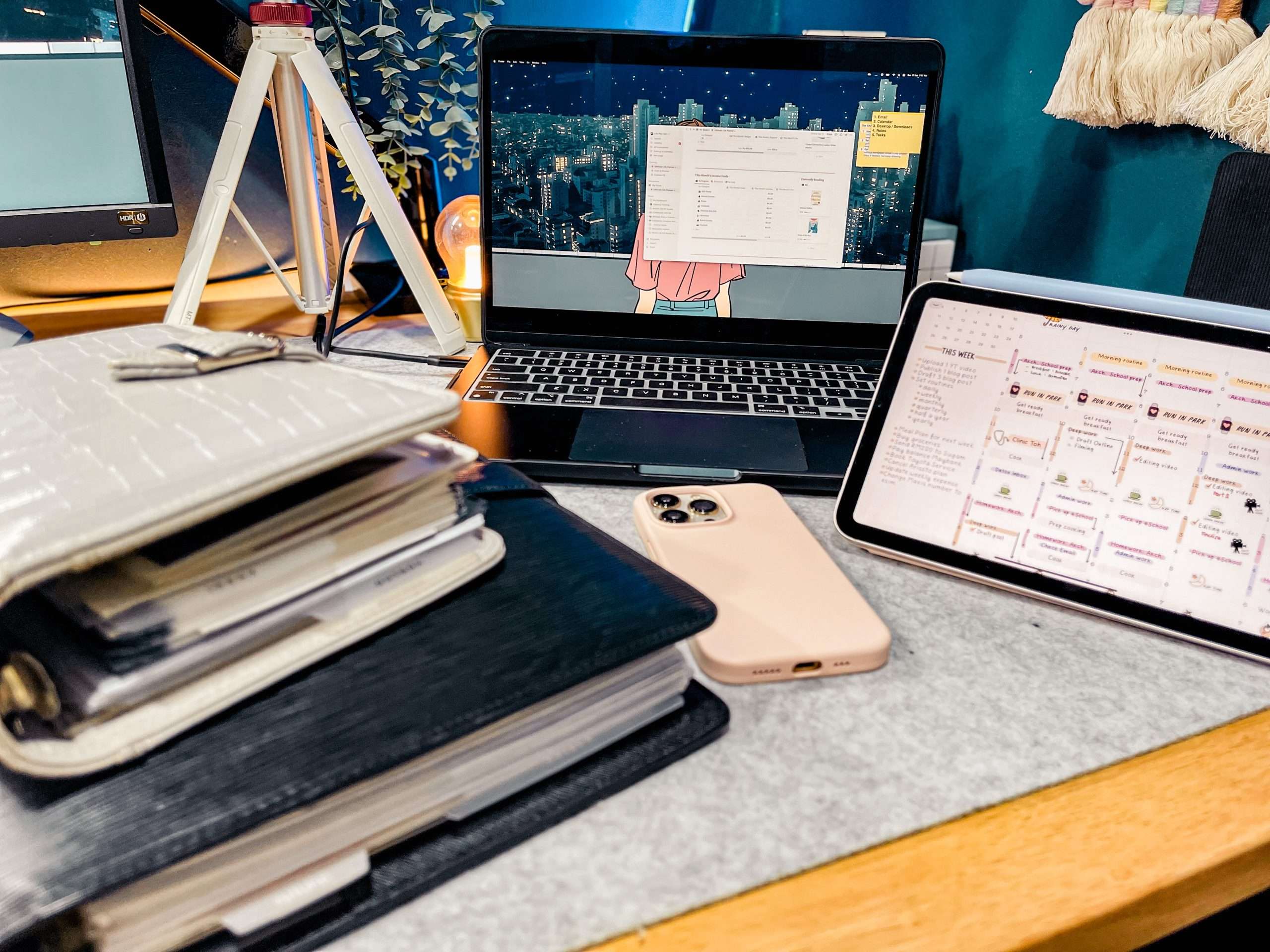
In the world of planners, you’ve probably heard the debate over whether digital or paper planners are better. Some people swear by their digital planner, while others swear by their paper planner. But what if I told you that you don’t have to choose between the two? In fact, combining both digital and paper planners or better known as hybrid planning can be a powerful productivity tool that can help you get more done in less time.
There are many benefits to using hybrid planning. For one, digital planners have immediate access to online calendars and great for keeping track of appointments, deadlines, grocery lists and tasks on the go. You can access your digital planner from anywhere, which means you always have your schedule at your fingertips. On the other hand, paper planners are great for jotting down notes, brainstorming ideas, brain dump and keeping track of long-term goals. Writing things down on paper can help you remember them better, and it’s also a great way to unleash your creativity.
So why should you start hybrid planning? By combining both paper and digital planner, you can take advantage of the strengths of each. For example, you can use your digital planner to keep track of important dates and deadlines, while using your paper planner to brainstorm ideas and track your progress towards your goals. This way, you get the best of both worlds and can stay organized and productive no matter what life throws your way.
Understanding Planners
As someone who has used both digital and traditional paper planner, I can say that each has its own unique advantages and disadvantages. Before we dwelve deeper on what is Hybrid Planning, I will explain what paper and digital planners are best used for and highlight some of their key features.

What is a Paper Planner?
A paper planner is a physical notebook or diary that you use to plan your day, week, or month. It typically contains a calendar, space for to-do lists, and sometimes additional blank pages for notes or goal setting. Paper planners come in a variety of sizes and styles, from pocket-sized to large desk planners, and can be customized with different covers and layouts. I would say that bullet journal is one of the most popular styie of planning for paper planner.
One of the advantages of paper planners is that they allow for more creativity and personalization. You can use different colored pens, stickers, or washi tape to decorate your planner and make it your own. Studies have also shown that writing things down by hand can help with memory retention and goal achievement.
On the other hand, paper planners can be bulky and difficult to carry around, and it can be hard to make changes or corrections once something is written down. They also don’t offer the same level of organization and automation as digital planners.
What is a Digital Planner?
A digital planner is a planner that is stored and accessed digitally, typically in any digital devices such as computer, tablet and smartphone. Digital planners can come in the form of apps, software, or templates that you can download and use on your device. They offer a variety of features, such as automatic reminders, syncing across devices, and the ability to easily make changes or corrections. In recent years, there are many digital task management app that has been introduced and used by many.
One of the advantages of digital planners is their convenience, flexibility and easy access. You can access your planner from anywhere with an internet connection, and you don’t have to worry about carrying around a physical notebook. They also offer more advanced features, such as the ability to set recurring tasks or integrate with other apps.
Some digital planners can be less customizable than paper planners. You may not be able to add decorations or customize the layout to your liking. However, the availability of digital planning apps such as the Goodnotes app has enabled planner enthusiast to have a digital version of paper like planners, in which they are able to add digital stickers and customise it according to their liking.
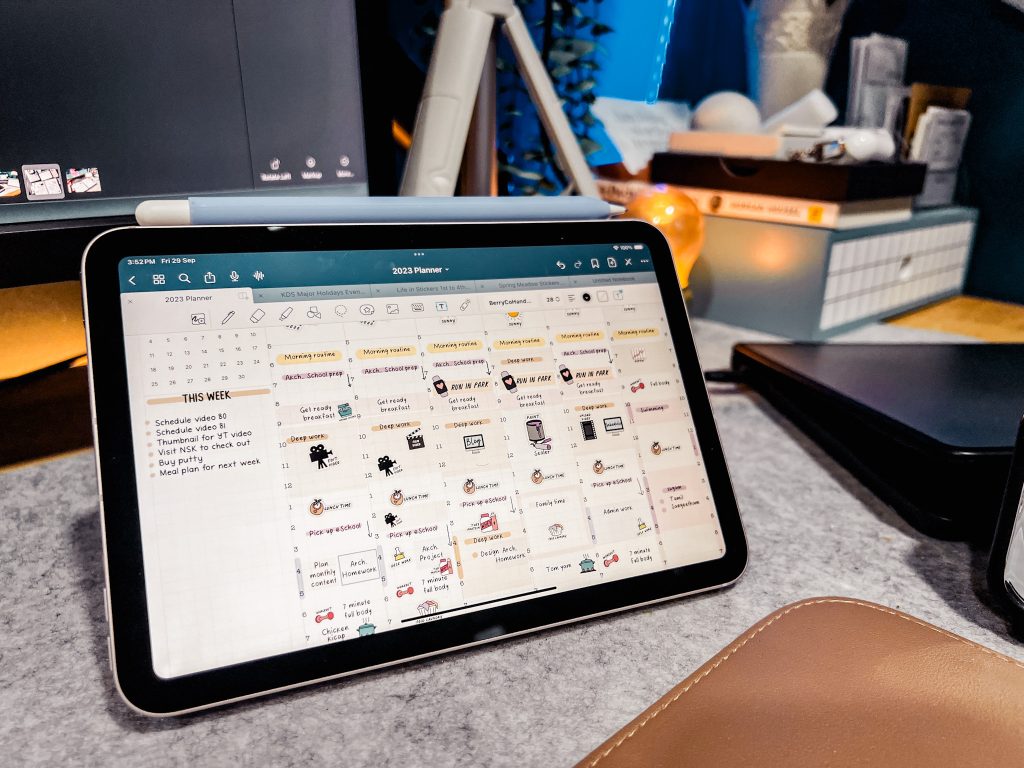
While digital planners offer undeniable convenience, they may present challenges that detract from your focus and well-being. In a world awash with notifications and alerts, maintaining productivity can become a juggling act. These digital tools demand a degree of technological finesse and can lead to frustration should your device falter or power down unexpectedly. Furthermore, prolonged screen time, a potential consequence of digital planning, can result in discomfort like eye strain and headaches.
In conclusion, both paper and digital planners have their own unique advantages and disadvantages, and the choice ultimately comes down to personal preference and lifestyle. Some people prefer the tactile experience of writing things down on paper, while others prefer the convenience and automation of a digital planner. Whatever your preference, the most important thing is to find a planner that works for you and helps you stay organized and productive.
Combining Both
While paper and digital planners each have their own benefits and drawbacks, using both together can be a powerful combination. For example, you could use a paper planner to jot down quick notes and ideas throughout the day, and then transfer them to your digital planner later for more detailed organization. Alternatively, you could use a digital planner for long-term planning and a paper planner for daily to-do lists.
Ultimately, the choice between paper and digital planners comes down to personal preference and needs. By understanding the benefits and drawbacks of each, you can make an informed decision about which type of planner is right for you.
Pros and Cons of Paper Planners
Paper planners have been around for a long time and have their own set of pros and cons. Here are a few things to consider when deciding whether a physical paper planner is right for you:
Pros of Paper Planners
- Unlimited Flexibility: One of the biggest advantages of a paper planner is its unlimited flexibility. You can write down your plans, notes, and ideas anywhere on the page, and you can customize it to your liking. You can add your own pages, such as to-do lists, habit trackers, or budget pages, and even add stickers or washi tape to make it more fun and personalized.
- No Distractions: Unlike digital planners, paper planners don’t have any notifications or pop-ups that can distract you from your work. You can focus on your tasks without worrying about getting sidetracked by social media or emails.
- No Need for Technology: With a paper planner, you don’t need to worry about battery life, internet connection, or software updates. You can take it with you wherever you go, and you don’t need to charge it or connect it to a Wi-Fi network.
Cons of Paper Planners
- Bulky: Paper planners can be bulky and heavy, especially if you have a lot of pages or inserts. They can take up a lot of space in your bag or on your desk, and they can be difficult to carry around.
- Writing: If you don’t like writing by hand, a paper planner may not be the best option for you. It can be time-consuming to write down all your plans and notes, and your handwriting may not always be legible.
- Cost of Supplies: Paper planners require paper, printer ink, and possibly planner stickers or other accessories, which can add up in cost. If you use a lot of ink or print a lot of pages, the cost can be significant over time.
Overall, paper planners can be a great option for those who prefer a tangible, customizable, and distraction-free way of planning. However, they may not be the best option for those who prefer a more digital and streamlined approach. It’s ultimately up to you to decide which option works best for your lifestyle and needs.
Pros and Cons of Digital Planners
When it comes to choosing between digital planners and paper planners, there are pros and cons to both. Here are some of the pros and cons of digital planners to help you decide whether they might be right for you:
Pros of Digital Planners
- Portability: One of the biggest advantages of digital planners is that they are usually accessible from a smartphone, which you can easily slip into your purse, backpack, or pocket and be on your way. This means you can take your planner with you wherever you go, without having to carry around a bulky physical planner.
- Automated notifications: You can turn on notifications for a digital planner, which lets you receive automatic reminders before an event or a deadline. This can be especially helpful if you have a busy schedule or tend to forget things easily.
- Digital calendar integration: Many digital planners can integrate with your digital calendar, so you can see all your appointments and events in one place. This can help you avoid double-booking yourself or missing important appointments.
- Apps: There are many digital planner apps available that offer a range of features, from simple to-do lists to more complex scheduling tools. Some of these apps are free, while others require a subscription or one-time purchase.
- Sharing: Unlike traditional paper planners, digital versions facilitate seamless collaboration and sharing in real-time. With just a few clicks, you can easily distribute schedules, task lists, or important dates to colleagues, friends, or family members. This ensures everyone stays on the same page, enhancing teamwork and coordination. Additionally, digital planners often integrate with popular communication tools and email, allowing for quick sharing and updates without the need for cumbersome photocopies or manual sharing efforts. This convenience and efficiency make digital planners a valuable asset for individuals and teams looking to streamline information sharing and improve productivity.
Cons of Digital Planners
- Screen time: One of the biggest downsides of digital planners is that they require you to spend more time looking at a screen. This can be especially problematic if you already spend a lot of time on your phone or other smart device.
- Learning curve: Using a digital planner can take some getting used to, especially if you’re not familiar with the technology. You may need to spend some time learning how to use the app or software, which can be frustrating for some people.
- Battery life: If you rely on your smartphone or tablet for your digital planner, you’ll need to make sure it’s charged up and ready to go when you need it. This can be a hassle if you forget to charge your device or if you’re away from a power source for an extended period of time.
- Cost: While there are many free digital planner apps available, some of the more advanced ones may require a subscription or one-time purchase. This can add up over time, especially if you’re on a tight budget.
Overall, digital planners can be a great option for people who are always on the go and need to stay organized. However, they do have some downsides, so it’s important to weigh the pros and cons before making a decision.
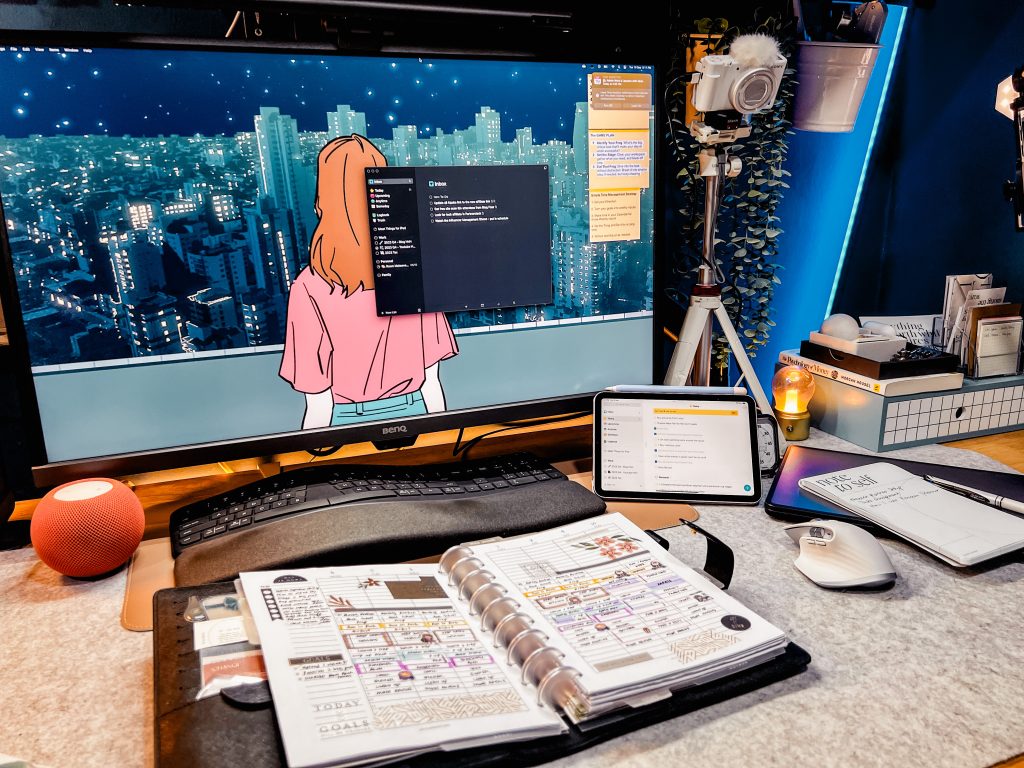
The Power of Combining Both
Are you torn between using a digital planner or a paper planner? Why not have the best of both worlds by combining them? By using both, you can take advantage of the benefits of each and create a system that works best for you. Here are some reasons why combining both digital and paper planners is a powerful tool for productivity:
Flexibility
One of the biggest advantages of combining digital and paper planners is flexibility. You can use your digital planner for scheduling and reminders, while using your paper planner for jotting down notes, ideas, and to-dos. This flexibility allows you to customize your planner to your needs and preferences.
Productivity
Combining both digital and paper planners can also boost productivity. You can use your digital planner to set reminders and deadlines, while using your paper planner for brainstorming and planning. This way, you can keep track of your tasks and ideas in one place, which can help you stay focused and organized.
Lifestyle
Using both digital and paper planners is also a great way to accommodate your lifestyle. If you’re always on the go, a digital planner can be easily accessed from your phone or tablet. If you prefer writing things down, a notebook or a paper planner can be carried with you wherever you go.
Efficiency
Combining both digital and paper planners can also help you become more efficient. You can use your digital planner to set recurring tasks and appointments, while using your paper planner to track progress and make notes. This way, you can ensure that you’re staying on top of your tasks and goals.
Accessibility
Another advantage of using both digital and paper planners is accessibility. You can access your digital planner from anywhere with an internet connection, while your paper planner is always within reach. This way, you can stay on top of your tasks and goals no matter where you are.
Time Management
Combining both digital and paper planners can also help you manage your time more effectively. You can use your digital planner to set reminders and deadlines, while using your paper planner to prioritize tasks and plan your day. This way, you can ensure that you’re making the most of your time and staying on top of your tasks.
Reduce Stress
Using both digital and paper planners can also help reduce stress. By having a system that works for you, you can reduce the overwhelm of trying to remember everything in your head. You can use your digital planner to set reminders and deadlines, while using your paper planner to jot down ideas and notes. This way, you can feel more organized and in control.
In conclusion, combining both digital and paper planners can be a powerful tool for productivity. By taking advantage of the benefits of each, you can create a system that works best for you and helps you stay organized and productive.

Practical Ways to Combine Both – Hybrid Planning
Hybrid Planning can be a powerful way to organize your life. Here are some practical ways to combine both digital and paper planning:
Use a Digital Calendar for Appointments and Events
A digital calendar such as Google Calendar and Fantastical is great for scheduling appointments and events. You can easily edit them, set reminders, and share them with others. You can also use it to schedule recurring events, such as weekly meetings or monthly appointments.
Use a Paper Planner for To-Do Lists and Goals
A paper planner is perfect for creating to-do lists and setting goals. You can use it to write down tasks that need to be done, and cross them off as you complete them. You can also use it to set goals, such as running a 5K or learning a new language. To increase efficiency, you can also add these tasks into your digital planner apps to remind you based on location or time so that it will prompt you to take action.
Use Templates and Lists in Your Digital Planner
Many digital planners come with templates and lists that you can use to organize your life. For example, you can use a meal planning template to plan your meals for the week, or a habit tracking template to track your progress towards your goals. I use Notion with the heavy lifting, especially for data-intensive tasks like crafting blog content and YouTube video production. Here, the digital planner takes the reins, orchestrating timely reminders and effortlessly providing indispensable project insights.
Use Time Blocking to Schedule Your Day
Time blocking is a great way to schedule your day and make the most of your time. You can use your digital calendar to block off chunks of time for specific tasks, such as work, exercise, or leisure time. Then, use your paper planner to write down the specific tasks you need to complete during each time block.
Rearrange Your Plans as Needed
One of the benefits of using a hybrid planning is that you can easily rearrange your plans as needed. For example, if something comes up and you need to reschedule an appointment, you can do so quickly and easily in your digital calendar. Then, you can use your paper planner to adjust your to-do list and goals accordingly.
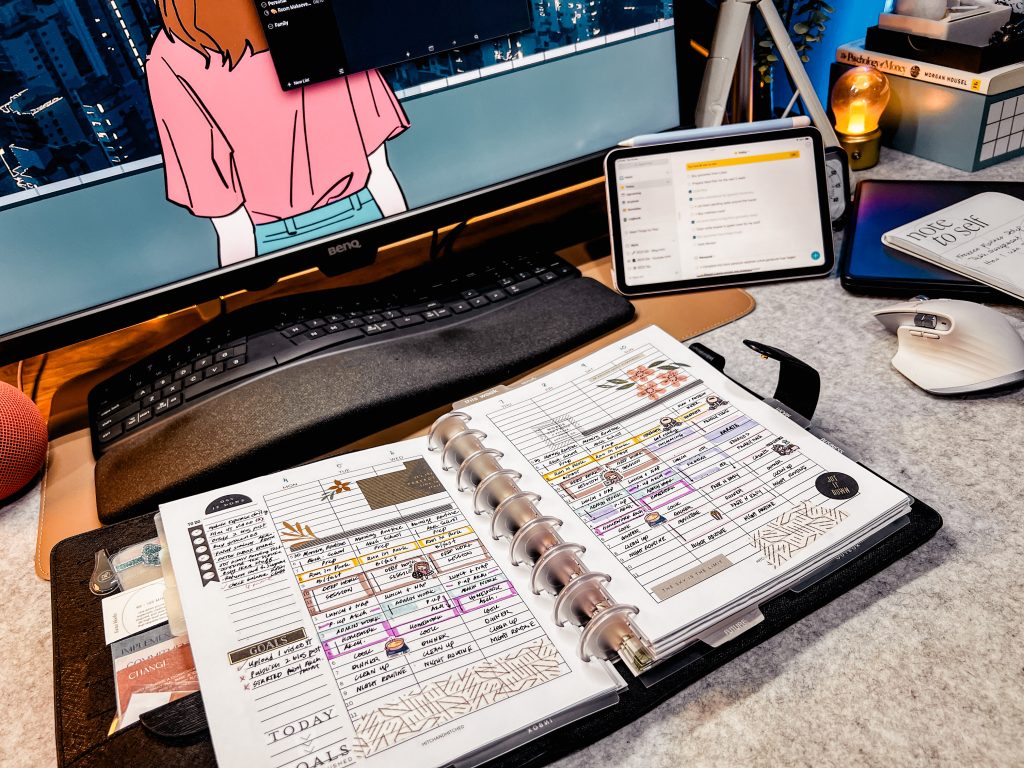
Tools and Apps for Effective Planning
When it comes to combining digital and paper planning, having the right tools and apps can make all the difference. Here are some recommendations to help you plan effectively:
Digital Planning
Digital planning tools can help you stay organized on the go. Todoist and Things 3 is a great app for creating to-do lists and setting reminders. The app is available on both your phone and tablet, so you can access your tasks from anywhere. Trello is another great option for managing projects and tasks. It allows you to create boards, lists, and cards to keep track of your progress. Other great planner apps include Google Calendar, Cozi, and Any.do.
If you crave the paper planning style but also desire accessibility, do consider Goodnotes app or Notability. The digital marketplace on Etsy boasts a treasure trove of creative minds offering bespoke digital planners. You’re certain to discover one that perfectly complements your unique style.
Paper Planning
If you prefer using a physical planner, there are many great options available. The Erin Condren Life Planner, Happy Planner and Passion Planner (also available in digital format) are some of the most popular choices. Both planners offer plenty of customization options and come in a variety of designs. Alternatively, if you prefer a minimalist planner than you should also take a look at Franklin Planner as they offer variety of planning style that is very suitable for professional environment.

Sticky notes are another great tool for paper planning. They can be used to jot down quick notes or reminders and can be easily moved around in your planner. If you prefer a more creative approach, bullet journal is a great option too. It allows you to create your own planner pages and layouts.
Backup and Customization
No matter which planning system you choose, it’s important to have a backup plan. Make sure to regularly back up your digital planner to avoid losing important information.
Customization is another important factor to consider. Whether you prefer digital or paper planning, make sure to choose a system that allows you to customize it to fit your needs. This will help you stay motivated and organized.
Reminders and Notifications
Finally, make sure to take advantage of reminders and notifications. Set reminders for important events, birthdays, and deadlines. This will help you stay on top of your tasks and avoid procrastination.
In conclusion, combining digital and paper planning can be an effective way to stay organized and productive. By using the right tools and apps, you can create a system that works best for you.
Financial Considerations
Digital planners can save you money in the long run. While paper planners may seem like a one-time expense, you need to keep buying new planners every year. Digital planners, on the other hand, can be used year after year without any additional cost. Additionally, digital planners can help you save money by reducing the need to purchase office supplies such as pens, paper, and ink.
However, there are some financial considerations to keep in mind when choosing a digital planner. Some digital planners require a subscription, which can be costly over time. Additionally, you may need to purchase a new device to use a digital planner, which can be a significant expense.
Ultimately, you can enjoy the benefits of both types of planners while minimizing the drawbacks. This can help you develop a healthy habit of staying organized while also saving storage space.
Conclusion
In conclusion, merging the digital advantages of accessibility, synchronization, and organization with the tactile, memory-enhancing experience of paper planning, you create a dynamic synergy that caters to both your practical and creative needs. At the end of the day, you need to find a system that adapts to you, not the other way around. In a fast-paced digital world, hybrid planning offers a path to balance, productivity, and personalization. So, whether you’re a digital enthusiast, a paper planner aficionado, or somewhere in between, embracing a hybrid planning approach can empower you to take control of your life, streamline your tasks, and unleash your creativity—all while staying organized and efficient. Don’t hesitate to explore this powerful planning method; it might just be the key to unlocking your fullest potential. Happy planning!
Frequently Asked Questions
Can using a combination of digital and paper planners increase productivity?
Yes, using a combination of digital and paper planners can increase productivity. By using both types of planners, you can take advantage of the benefits of each. Digital planners are great for setting reminders and syncing across multiple devices, while paper planners can help you focus and remember important tasks by physically writing them down.
What are the benefits of using a hybrid planner?
Using a hybrid planner can provide you with the best of both worlds. Digital planners are great for managing recurring tasks, while paper planners can help you prioritize and focus on important tasks. By using a hybrid planner, you can take advantage of both types of planners to stay organized and productive.
How can paper planners complement digital calendars?
Paper planners can complement digital calendars by providing a physical space to write down tasks and notes. This can help you remember important tasks and keep track of your progress. You can use your digital calendar to set reminders and manage recurring tasks, while using your paper planner to focus on daily tasks and priorities.
What are the drawbacks of relying solely on a digital planner?
Relying solely on a digital planner can have some drawbacks. If you lose access to your digital planner, you may lose important information and tasks. Digital planners can also be distracting, with notifications and other digital distractions. By using a paper planner in combination with your digital planner, you can avoid these drawbacks and stay focused on your tasks.
What are the advantages of using a physical planner?
Using a physical planner can provide you with a sense of accomplishment and satisfaction. Physically crossing off tasks and seeing progress can help motivate you to continue working towards your goals. Additionally, physical planners can be customized to fit your needs and preferences.
How can you effectively integrate both digital and paper planners into your workflow?
To effectively integrate both digital and paper planners into your workflow, you should first determine which tasks are best suited for each type of planner. Use your digital planner to manage recurring tasks and set reminders, while using your paper planner to focus on daily tasks and priorities. Make sure to keep both planners in sync and updated regularly to avoid confusion and missed tasks.